

 Image 1 of 3
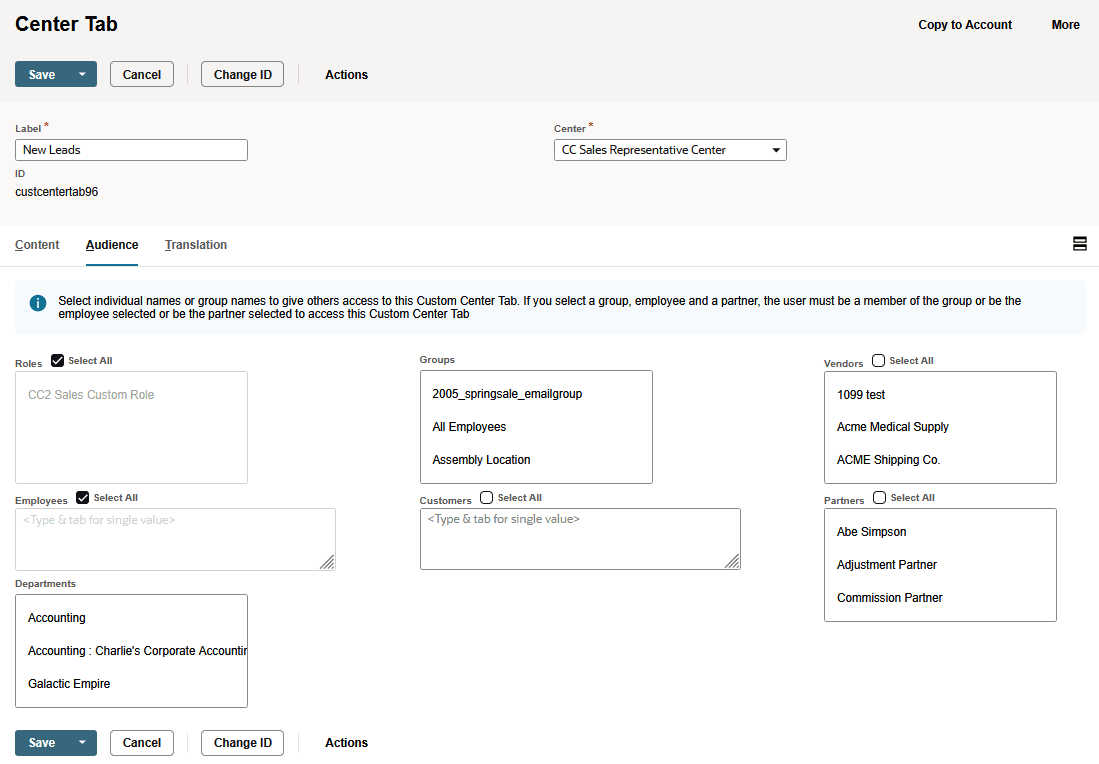 Image 2 of 3
 Image 3 of 3
Create a clean, role-based experience inside NetSuite by customizing the menus, navigation, and tabs your teams use every day. Custom Centers and Tabs make it easier for users to find what they need, organize information logically, and work faster with fewer mistakes.
Example Use Cases:
Build a focused workspace for Sales, Warehouse, Finance, Purchasing, or Support so each team only sees the menus they need
Group custom fields, lists, and integrations into a single tab on the record to eliminate clutter and reduce hunting for information
Simplify complex navigation for large NetSuite accounts so users can move quicker and adopt new processes faster
Why It Matters:
Custom Centers and Tabs streamline the user experience, reduce confusion, and help teams work more efficiently. They make NetSuite feel cleaner and more intuitive by organizing your data and tools into the structure that fits your business, not the default setup.
Create a clean, role-based experience inside NetSuite by customizing the menus, navigation, and tabs your teams use every day. Custom Centers and Tabs make it easier for users to find what they need, organize information logically, and work faster with fewer mistakes.
Example Use Cases:
Build a focused workspace for Sales, Warehouse, Finance, Purchasing, or Support so each team only sees the menus they need
Group custom fields, lists, and integrations into a single tab on the record to eliminate clutter and reduce hunting for information
Simplify complex navigation for large NetSuite accounts so users can move quicker and adopt new processes faster
Why It Matters:
Custom Centers and Tabs streamline the user experience, reduce confusion, and help teams work more efficiently. They make NetSuite feel cleaner and more intuitive by organizing your data and tools into the structure that fits your business, not the default setup.